lags - See Kriging Interpolation

linear - 1D linear interpolation

Syntax: float linear(float x, float y, float xnodes)
Description:

Calculate a linear interpolation of the points (x,y). The new curve is a straight line joining consecutive points.

  • A value is calculated for each x value in xnodes.
  • If xnodes is a single value, n, then range(x, n) is used.
  • If xnodes is not specified then range(x, 33) is used

Read more about the line fitting in How do I fit a line?

See also: smooth, spline, polyfit, range

linsemiv - See Kriging Interpolation

list - transform into array

Syntax: any list(any x)
Description: The contents of x are arranged into an array.
  • The output array starts with the first column of x, then the second and so on ...
  • list is an extremely fast function as Gsharp does not process the array of data, it just alters the dimensions. reshape is equally fast for the same reasons.
  • list is the quickest way to convert a row to a column:
    column = list(row);
See also: reshape

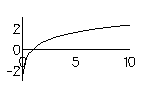
ln or log - natural logarithm

Syntax: float log(float x)
float ln(float x)
Description: Return the natural logarithm (to the base e) of each element of x
  • x is equivalent to log(exp(x)) and exp(log(x))
  • Gsharp supports logarithmic axes. If you plot y v. x with logarithmic axis you will get the same plot as log(y) v. log(x), but your axes will be labeled with respect to y and x not log(y) and log(x).
See also: log10, exp

log10 - logarithm

Syntax: float log10(float x)
Description: Return the logarithm (to the base 10) of each element of x
  • x is equivalent to log10(10^x) and 10^log10(x)
  • Gsharp supports logarithmic axes. If you plot y v. x with logarithmic axis you will get the same plot as log(y) v. log(x), but your axes will be labeled with respect to y and x not log(y) and log(x).
See also: log, exp


.