Editing a Viewport
Each object in Gsharp has a number of resources associated with it. For example a viewport's resources include its position, its color, and its frame width (normally 0). Most of these resources have default values so you do not need to set them. Resources can be set in the resource editor. There are several ways to display the resource editor but one of the easiest is to double click on the object with MB1.
Double click on your selected viewport.
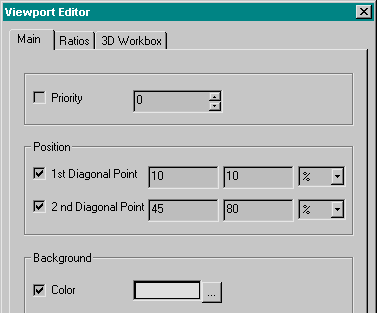
A resource editor appears containing the resources for your viewport.
If you have problems double clicking to bring up an editor, make sure that the viewport is selected and then try again. You can also use Edit Selected... from the Edit menu.
 Set
the 1st Diagonal Point to be 10 10
Set
the 1st Diagonal Point to be 10 10
Set the 2nd Diagonal Point to be 45 80
Set the background colour to be the colour shown
Set the frame width to be 0.1 and frame colour to be red.
 |
When you have set a resource, a small toggle is displayed to the left of the resource name. You can go back to the default value by clicking on the toggle. Click on the toggle to the left of the frame color. Notice how the frame returns to the default colour - black. Click on OK. |
The Status Line
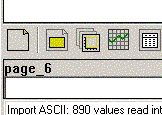
The line beneath the object toolbar and above the command line is the status line. It displays the currently selected object.
 Click
outside the viewport and see the status line change to page_1.
Click
outside the viewport and see the status line change to page_1.
Click inside the viewport and see the name of your viewport appear on the status line.
Leave your viewport selected and carry on to the next step - domains